 Headroom
Media & Bitrate Calc
How much storage does the shoot need?
Headroom works out storage, record time, RAID capacity, transfer time and stream bandwidth for professional video, using data rates from the camera and codec makers' own specifications.
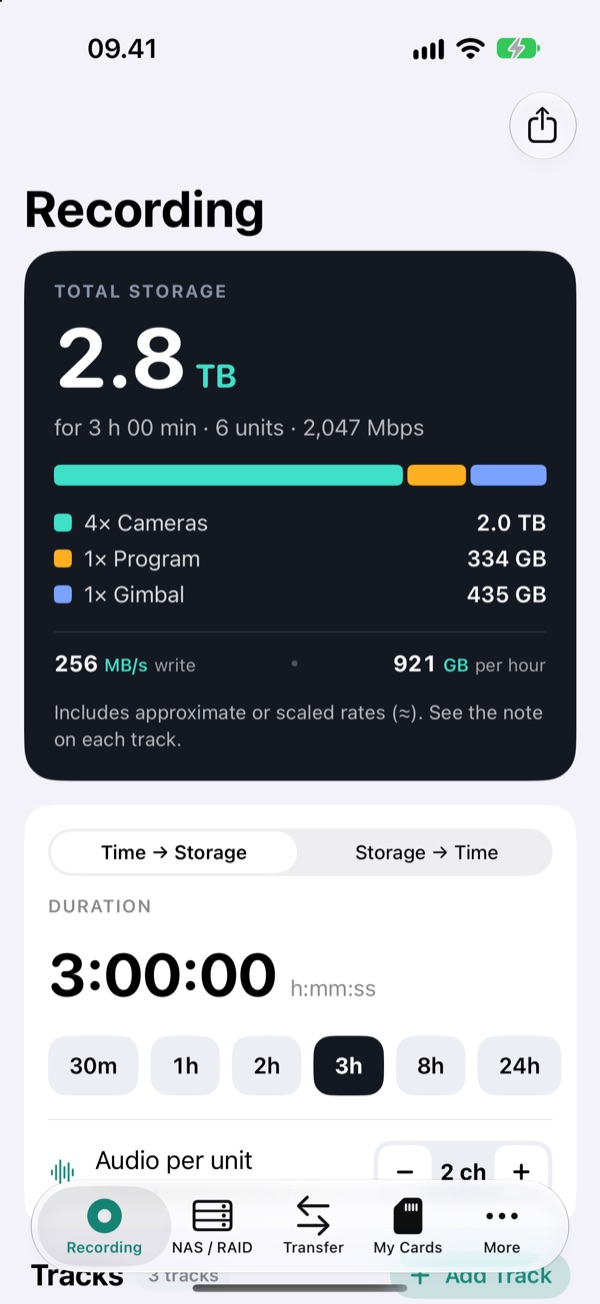
Every question before the shoot
Add every camera, recorder and ISO feed, and Headroom answers the questions you'd otherwise work out in a spreadsheet.
Recording
Time to storage or storage to time for the whole shoot, audio included, plus the write speed each card needs.
NAS / RAID
Real usable capacity after parity, overhead and free space, and how many hours of your recording fit.
Transfer
Card to connection to disk or NAS. See the bottleneck and how long the offload takes.
My Cards
How long each of your own cards lasts with the current setup, and whether it's fast enough.
Stream
The upload bandwidth you need for several streams at once, with a safety margin.
Codecs & Sources
ProRes, Avid DNx, Sony, Canon, Panasonic, Blackmagic RAW, RED, ARRI, AVC-ULTRA and uncompressed, each rate with its source.
Clear answers, on set or at the desk
The same calculations on iPhone, iPad and Mac.
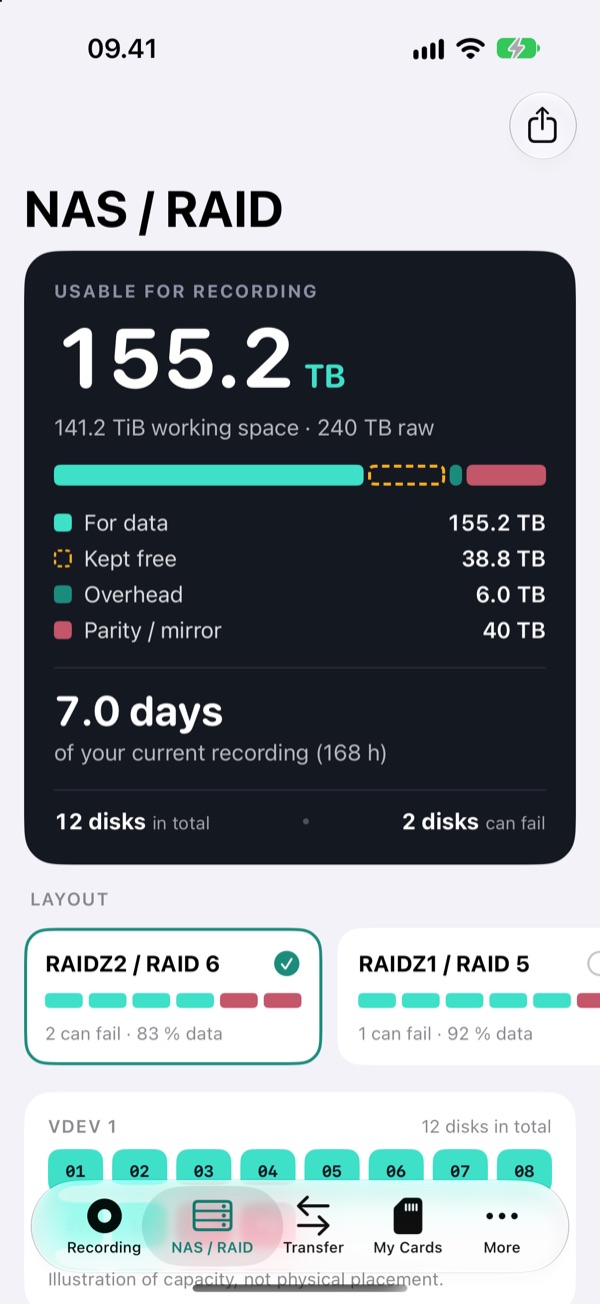
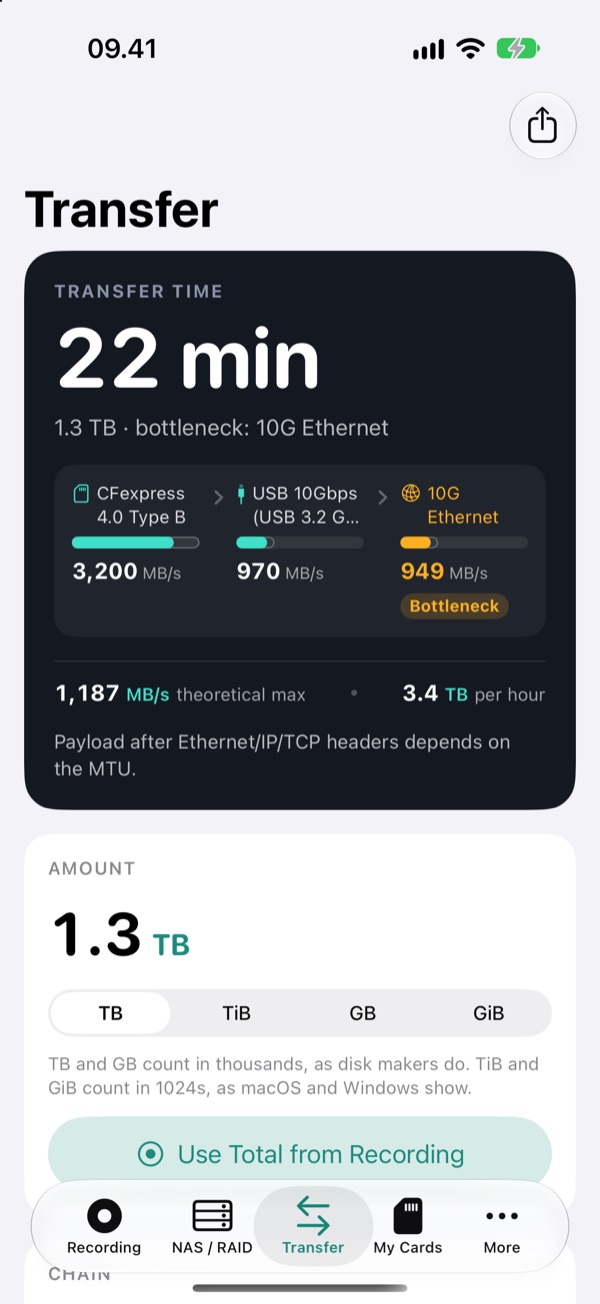
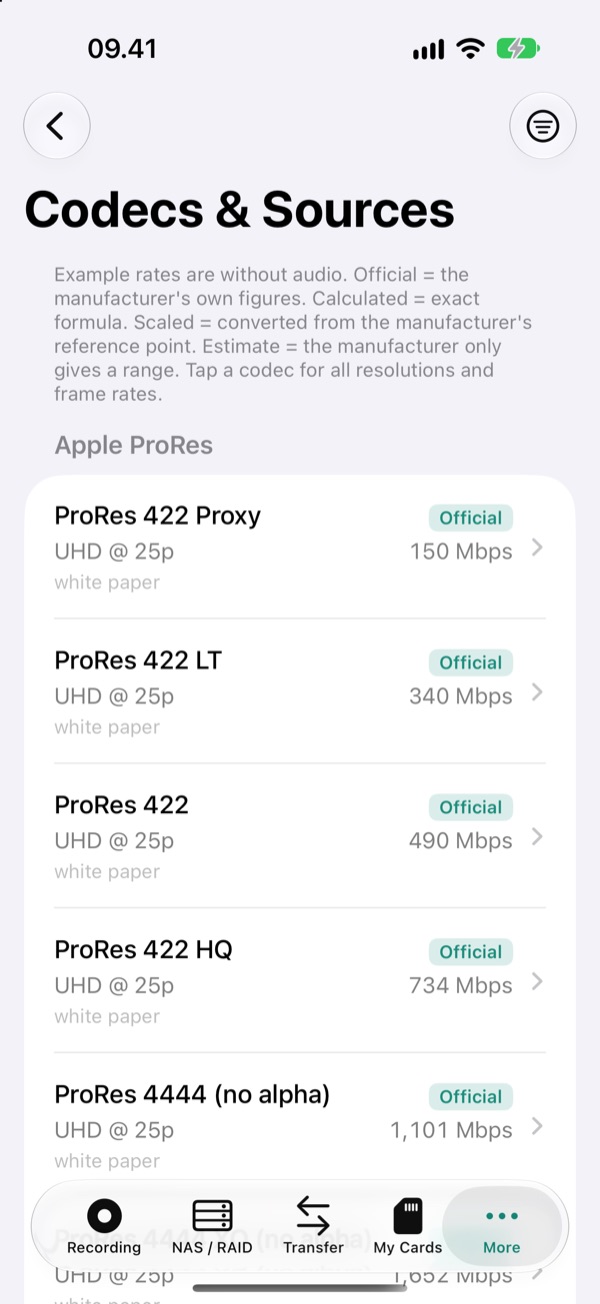
The numbers are the product
A calculator is only as good as its data rates, so Headroom shows where every one comes from.
From the source
Rates come from the manufacturers' own white papers, manuals and spec sheets, and Codecs & Sources links to each one.
Marked honestly
Every codec says how its figures were made.
Never guessed
If a codec isn't offered in a resolution or frame rate, Headroom tells you, instead of making up a number.
Disk-maker units
1 TB is 1,000,000,000,000 bytes, as on the label of the drive. TiB is shown alongside where it helps.
Free to start. Pay once for the rest.
No subscription. Buy Headroom Pro once and it's unlocked on your iPhone, iPad and Mac.
Free
Everything you need for one ProRes camera.
- One track with Apple ProRes
- Time to storage and storage to time
- Stream bandwidth
- Codecs & Sources
Headroom ProPRO
One purchase. Everything unlocked.
- Several tracks in one calculation
- All codecs and your own bitrate
- NAS / RAID
- Transfer
- My Cards
- Export to text and PDF
Everything is calculated on your device and works offline. My Cards syncs through your own iCloud, and nothing is sent to the developer. Privacy policy